What is a riser bank, and how is it different from a riser synth?
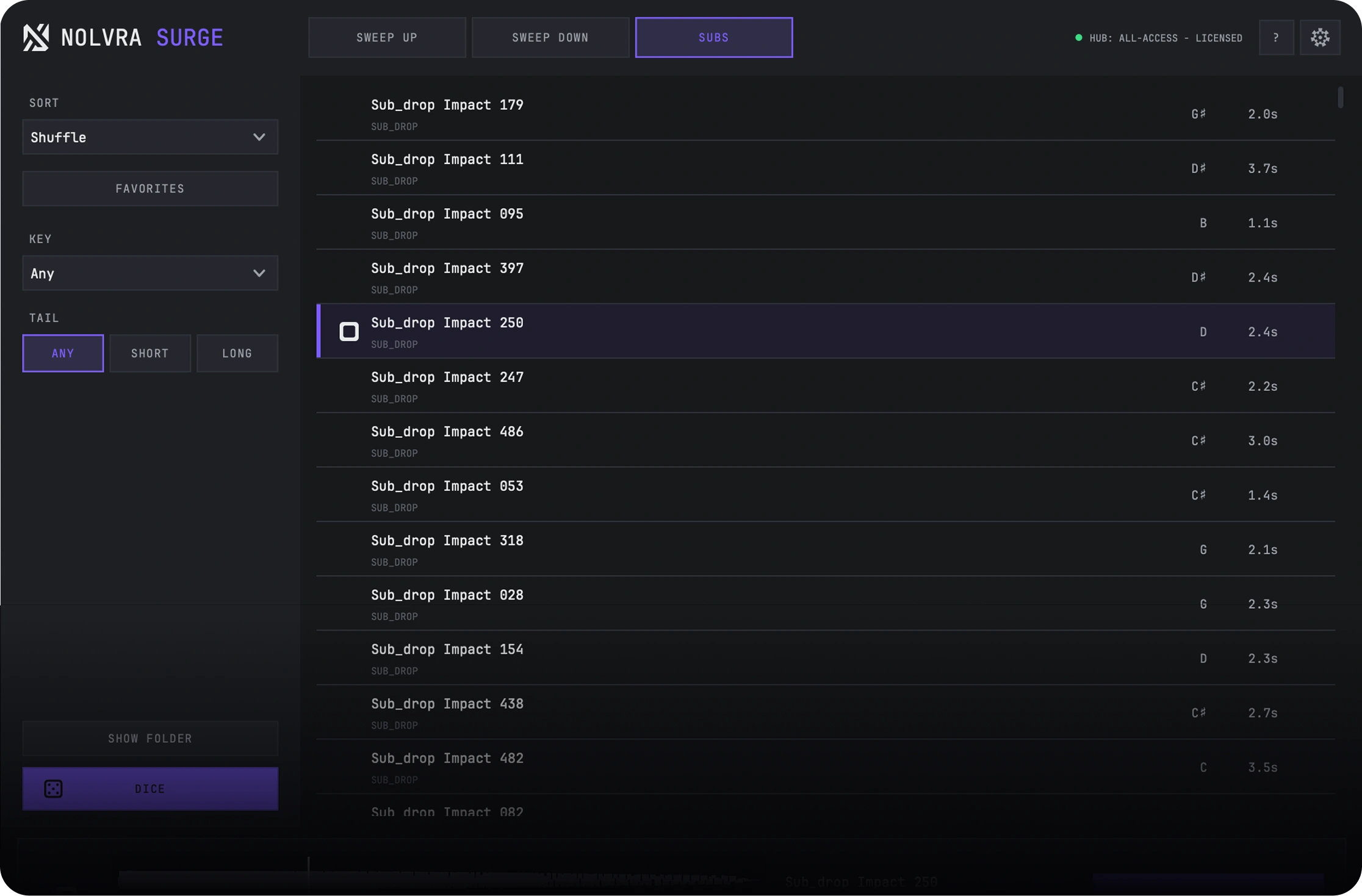
A riser bank is a browser of finished audio files; a riser synth generates the sound from oscillators every time you use it. SURGE is the first kind. Nolvra SURGE is a standalone AU/VST3 plugin and is not related to the Surge XT synthesizer; it needs no host synth or sampler. Its bank holds 635 approved sweep seeds across a 13-length grid plus a 12-key sub drop bank, and every entry is a rendered file that SURGE conforms to your session tempo as you scroll the list. What you audition is exactly what lands on the timeline. The practical difference is where the work goes: a synth like AIR's The Riser asks you to design the transition, and a Kontakt library like Native Instruments Rise and Hit asks you to load a 5.9 GB instrument inside a host sampler first. SURGE opens on any track as AU or VST3, reads the host tempo immediately, and writes the file you dragged into ~/Music/Nolvra/SURGE Exports. Three shelves, sweep up, sweep down and subs, and a bar length of 2, 4 or 8.
Built for the moment
Get there faster
Surge keeps the whole transition workflow in one focused browser.
Choose the move
Risers, sweep-downs, and sub drops stay one click apart.
Match the session
Pick 2, 4, or 8 bars and let Surge follow the project tempo.
Place the payoff
Hit peak to hear the landing point, then drag the sound into your DAW.
Main demo
Try the move
Hear each rise, fall, and impact before it reaches the timeline.
Roll the dice. Every sweep lands different.
Browse
Find the right move
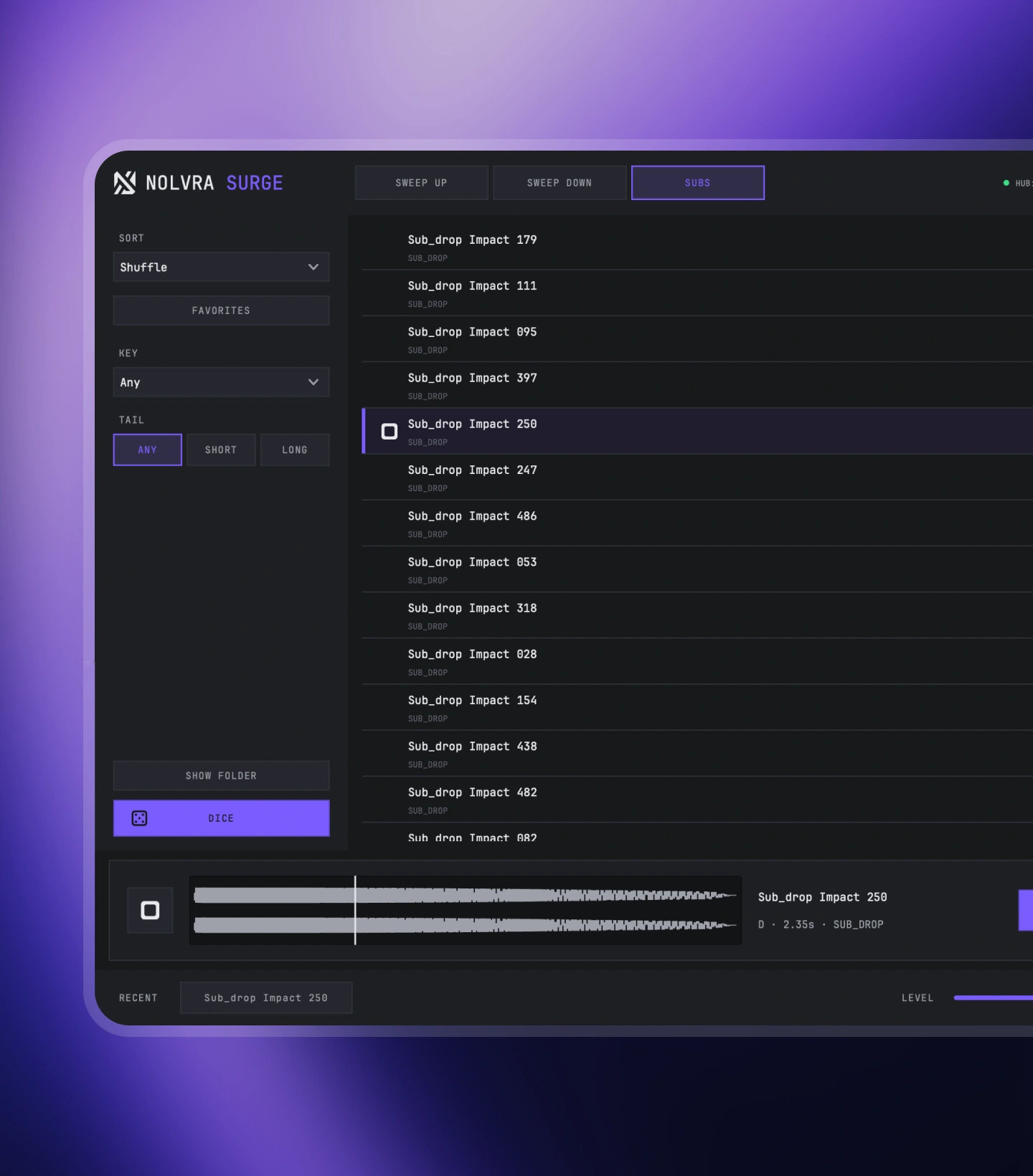
Start with intent, not filenames. Choose a direction, filter the character, and audition without leaving the browser.
- Sweep upBuild tension into the next section
- Sweep downRelease energy and clear the transition
- Sub drops12 keys of sub drops, tuned and drag-ready.
Place
Lock the timing
Keep the sound in sync from first audition to final placement.
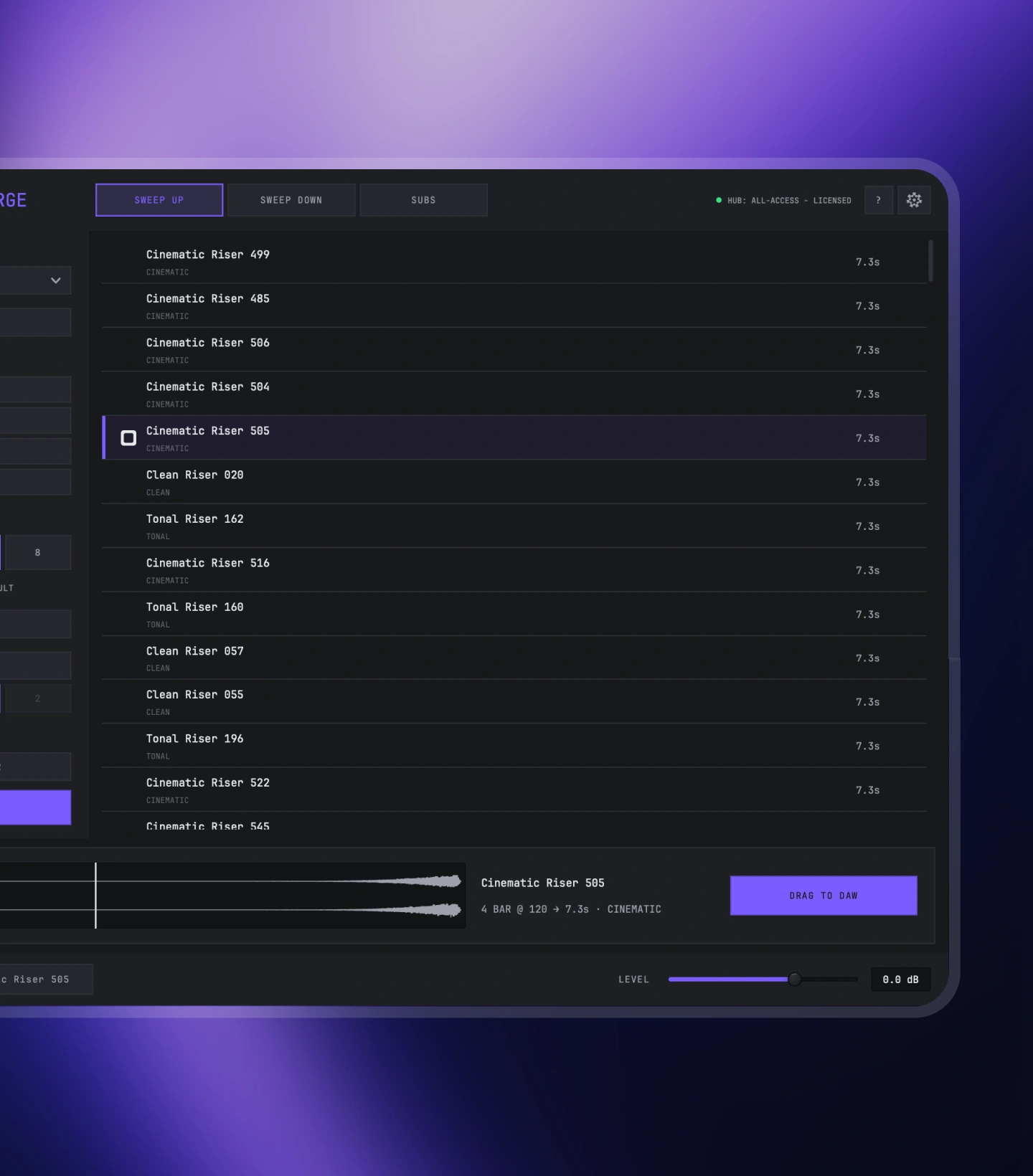
- Session syncEvery sound follows the project tempo
- Peak previewHear the exact impact before you commit
- Drag to DAWMove the chosen sound into the arrangement
Compared
SURGE compared to the other ways to get a riser
Four ways producers get transitions into a session, and what each one asks of you before the sound lands on the timeline. Prices and specs checked against each maker's own page in August 2026.
| Product | Price | What it is | What you get | Tempo | Host requirement |
|---|---|---|---|---|---|
| Nolvra SURGE | $49 once, or included in All-Access at $19.99/month | Bank browser | 635 approved sweep seeds across a 13-length grid, plus a 12-key sub drop bank | Conforms to your session tempo as you scroll | Loads directly as AU or VST3. No sampler underneath |
| AIR The Riser | $99 list | Synth based transition designer | 300 editable presets, three oscillators, 23 filter types | Tempo synced LFOs, you design the rest | Loads directly as a plugin |
| Native Instruments Rise and Hit | $149 | Kontakt sample library | 700 single-layer and 250 multi-layer sounds, 5.9 GB compressed | Fixed sound lengths, four per sound | Needs Kontakt or the free Kontakt Player |
| Splice Sounds | Subscription from $4.99/month | Shared sample catalogue | Individual files licensed with credits | Files arrive at their recorded tempo, your DAW stretches them | None, but you leave the DAW to browse |
The choice is really between designing a transition and picking one. A synth gives you every parameter and asks for a decision on each; a Kontakt library gives you finished sounds but puts a sampler between you and them; a subscription gives you files at a tempo that is not yours. SURGE keeps the finished-file part and drops the rest: the browser is the plugin, the tempo is the session's, and the drag writes the file.
Product details
Technical specs
The practical details, organized for a quick scan.
Library
Sound bank
- DirectionsSweep up/
sweep down - CharactersClean/
tonal/ cinematic - Lengths2/
4/ 8 bars
Workflow
Session ready
- TempoFollows the session
- BrowserShuffle/
favorites - PreviewPeak audition
- ExportDrag to DAW
- Export path~/
Music/ Nolvra/ SURGE Exports - Session memoryFavourites, filters, BARS, PEAK and TAIL
Build
What you install
- Version1.0.2
- Installer7.3 MB (macOS) · 5.1 MB (Windows)
- Sound bankDownloaded once on first launch, then local
- DeliveryNolvra Hub
Output
Platforms
- macOSApple Silicon
- WindowsVST3
- ManagerNolvra Hub
- UpdatesThrough Hub
- FormatsAU/
VST3 (macOS) · VST3 (Windows) - Architecture64-bit
- ProductSweep & sub bank
Available for macOS and Windows. On Mac it needs Apple Silicon; on Windows it is a 64-bit app. VST3 and AU on Mac, VST3 on Windows. Full system requirements
Setup flow
From checkout to session
A few clear steps, then Surge is ready inside your DAW.
Purchase
Buy once and Surge lands in your Nolvra account.
Download
Open Nolvra Hub, sign in, and install Surge from there.
Install & create
Load it in your DAW and drag the first sweep into the timeline.
FAQ
Before you buy
Is this related to the Surge XT synthesizer?
No. Nolvra SURGE is a standalone AU/VST3 plugin and is not related to the Surge XT synthesizer; it needs no host synth or sampler. It is a bank of finished riser, sweep and sub drop files that loads on any track and follows the session tempo.
How does activation work?
Sign in to the Nolvra Hub and SURGE unlocks there. If you bought a one-time key, it is on the Hub's Licenses screen with a COPY button next to it: paste it into the plugin once. Keys are not sent by email; the purchase mail confirms the order and carries the installer links.
Do I need the Hub installed?
Yes. The Hub handles your account, licenses and downloads. Install it once, sign in, and every Nolvra product flows through it.
What formats are supported?
AU and VST3 on macOS, VST3 on Windows. One license covers both, and your activations can be any mix of Mac and Windows machines.
Are the sounds rendered or synthesized live?
They're finished audio files from a curated bank. What you audition is exactly what lands in your DAW.
Do bank downloads count against anything?
No. Banks download once through our CDN and are yours locally.
Further reading
Guides that use it
How SURGE fits a session, written out step by step.
- Make Transitions LandA riser that only gets louder is not a transition. Take energy away, build tension, and let the downbeat land dry.
- How Long Should A Riser Be?Bar count is the wrong first question. A riser is as long as the space it has to fill, and it should finish before the downbeat rather than on it.
- The Fall Is A Transition TooDownlifters get half the attention risers do. A fall marks an exit, covers a seam, and starts on the downbeat instead of finishing before it.
- What A Sub Drop Actually DoesA sub drop is a pitched low end event, not an impact. Why it collides with your 808 on the downbeat, and the three ways out.
- Which Riser Character: Clean, Tonal Or CinematicNoise, pitch and cinematic rises do different jobs. Pick by the frequency band your outgoing section leaves empty, not by taste.
- Make A Riser From Scratch, And When Not ToBuild a riser from a noise source, a filter and a reverb tail. Then an honest look at what the build costs on the third one.
Start with Surge
Make the next section hit
Get the complete sweep and sub bank, ready inside Nolvra Hub.
$24.99