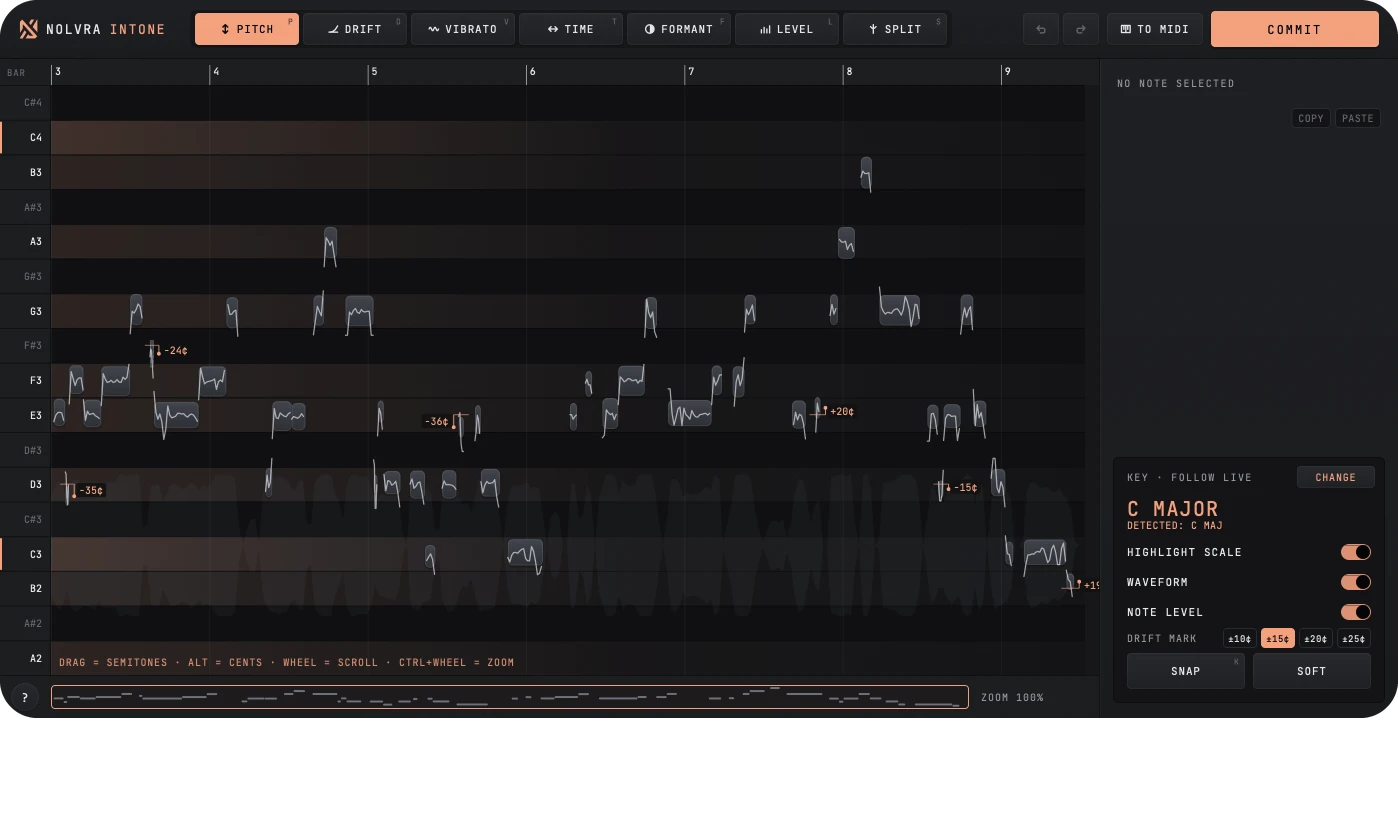
Why INTONE
Vocal editing, inside Live
INTONE reads the clip on the track with no recording pass, and writes the edit back to your Set.
Note by note
Drag a note to change its pitch, timing or vibrato, or split it in two.
Snap to the key
The key follows your Live Set, and SNAP pulls every note onto it.
Commit to Live
COMMIT writes the edited vocal to a take lane, so the original stays.
Editor
Edit every note
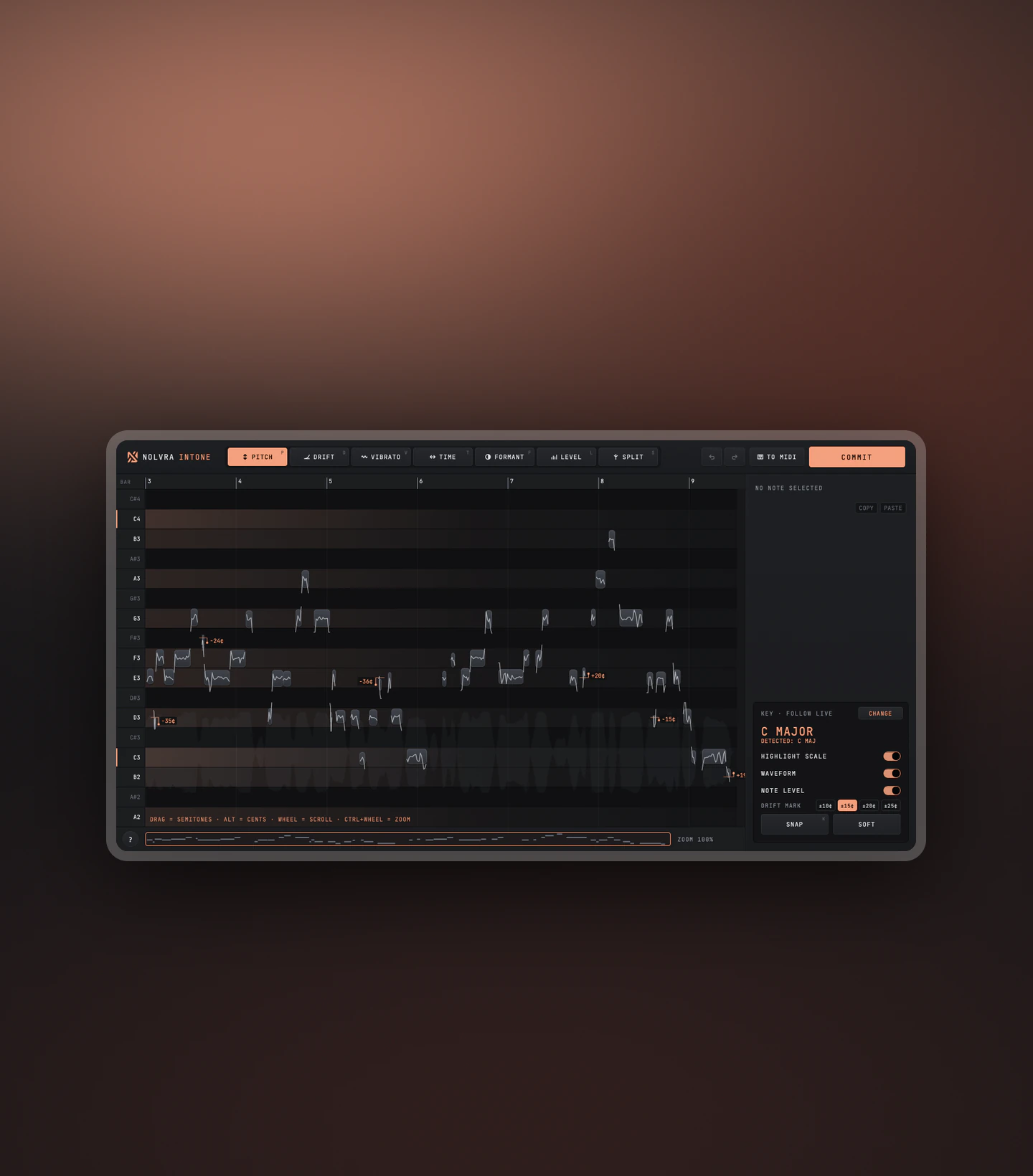
Pitch, Drift, Vibrato, Time, Formant, Level and Split sit along the top of the editor.
- PitchDrag a note up or down
- VibratoDrag up for more, down for less
- FormantShift it on its own
Drift
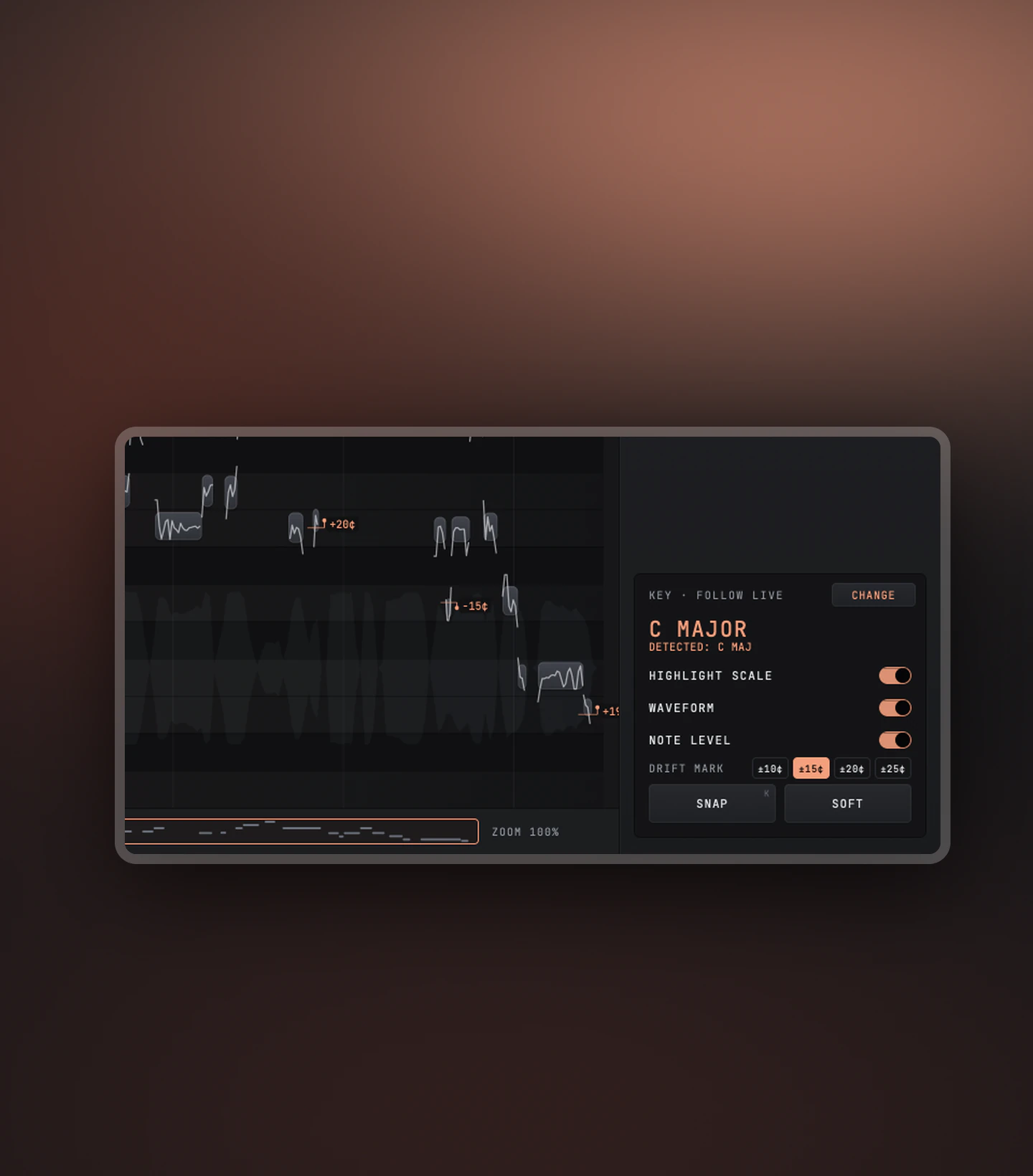
See the drift, then fix it
Notes that drift past the mark you set show their cents. SNAP pulls every note onto the key.
- Drift mark±10, ±15, ±20 or ±25 cents
- KeyFollows Live, or set your own
- CommitWrites the result to a take lane
Product details
Technical specs
The practical details, organized for a quick scan.
Editor
Vocal editing
- ToolsPitch/
Drift/ Vibrato/ Time - AndFormant/
Level/ Split - KeyFollows Live
- Drift mark±10/
15/ 20/ 25¢
Host
Ableton Live
- FormatMax for Live audio effect
- Live12 Suite
- Max9 or later
Platforms
System support
- macOS12 or later
- Windows64-bit
- InstallNolvra Hub
- In the planIncluded in Nolvra All-Access
Available for macOS and Windows. It runs inside Ableton Live 12 Suite as a Max for Live device. Full system requirements
Setup flow
From checkout to Live
Three steps, then INTONE is on your vocal track.
Purchase
Complete your purchase and receive your INTONE license.
Install from Hub
The Nolvra Hub installs it and keeps it updated.
Load in Live
Add INTONE to the vocal track in Ableton Live.
FAQ
Before you start
Which DAW does INTONE run in?
Ableton Live only. INTONE is a Max for Live audio effect and needs Live 12 Suite with Max 9 or later.
Do I need to record the vocal into it first?
No. INTONE reads the clip on the track directly. When you are done, COMMIT writes the edited vocal to a take lane.
Is Windows included?
Yes. INTONE runs on 64-bit Windows and on macOS 12 or later.
Can I buy INTONE on its own?
Yes, as a one-time purchase. INTONE is also included in Nolvra All-Access.
How do I install INTONE?
Through Nolvra Hub, which installs it and keeps it updated.
Is INTONE in All-Access?
Yes. INTONE is included in Nolvra All-Access. Sign in to Nolvra Hub and it unlocks.
Start with Nolvra INTONE
Edit the vocal, stay in Live
Pitch, drift, vibrato and timing, note by note.
$99List price $149
$14.99/mo
or $149/yr (≈$12.42/mo)
INTONE included
Choose All-Access